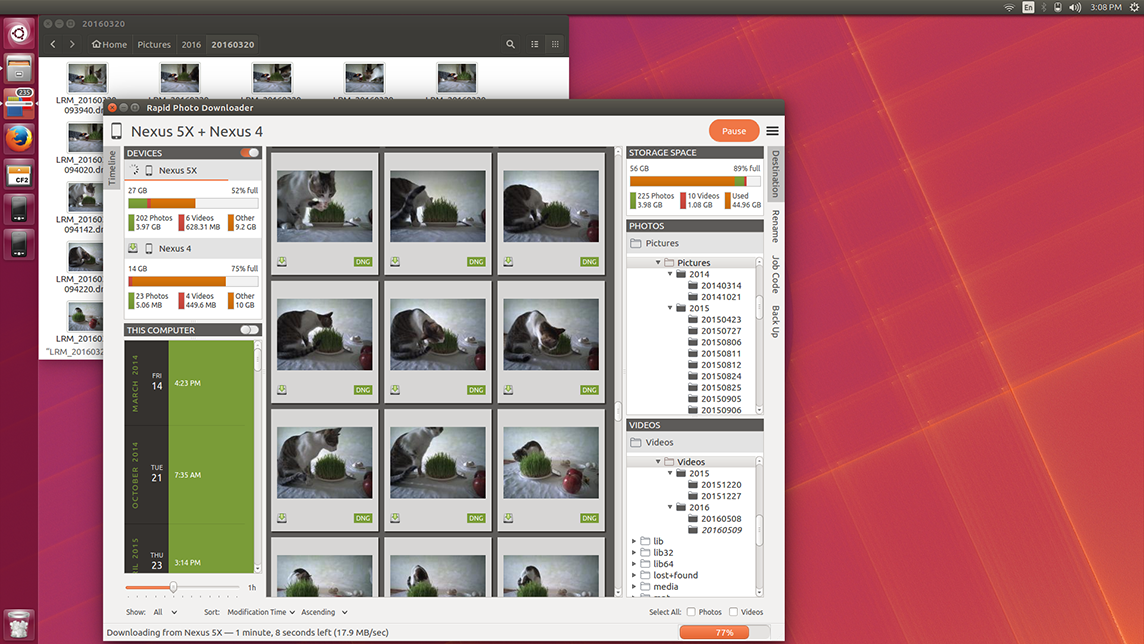
Rapid Photo Downloader downloads from every camera supported by gphoto2, including smartphones. It downloads in parallel from mutliple devices, as well as directly from your computer.
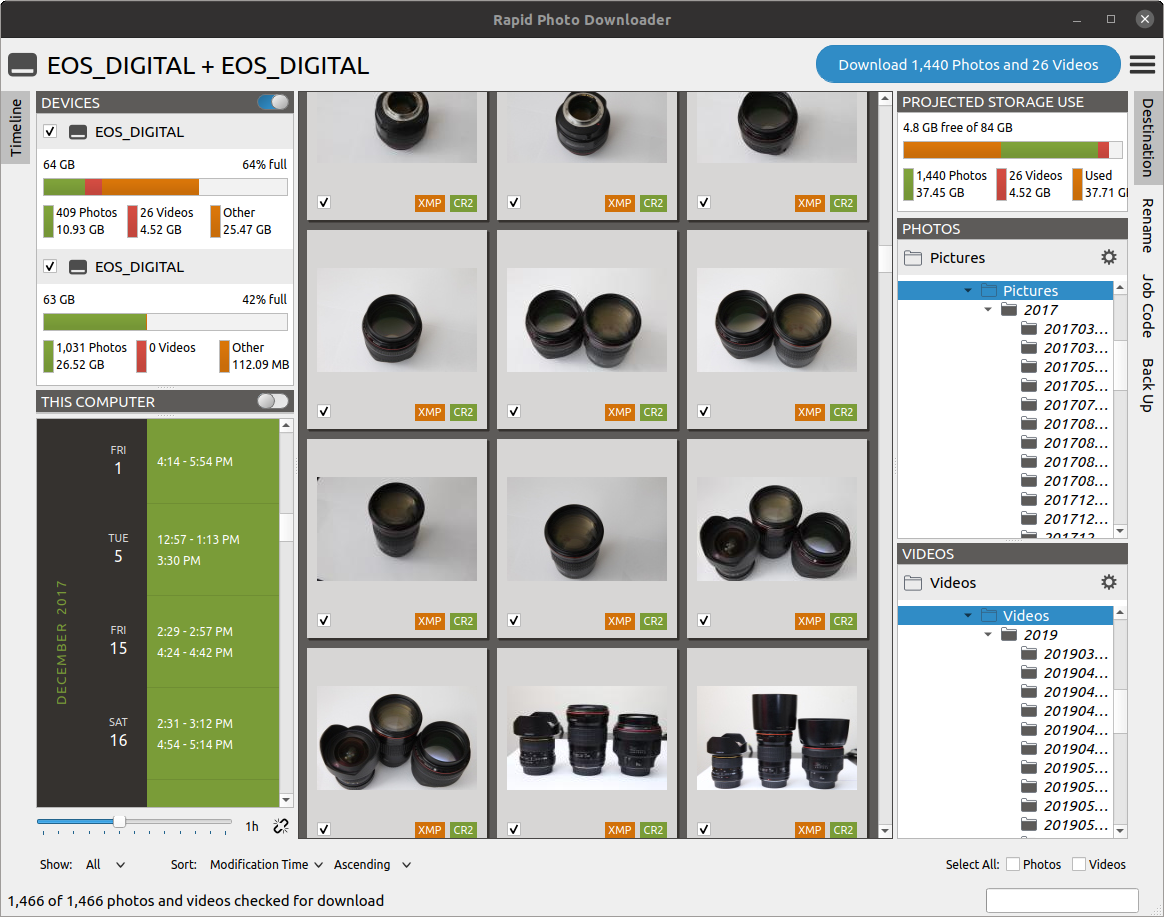
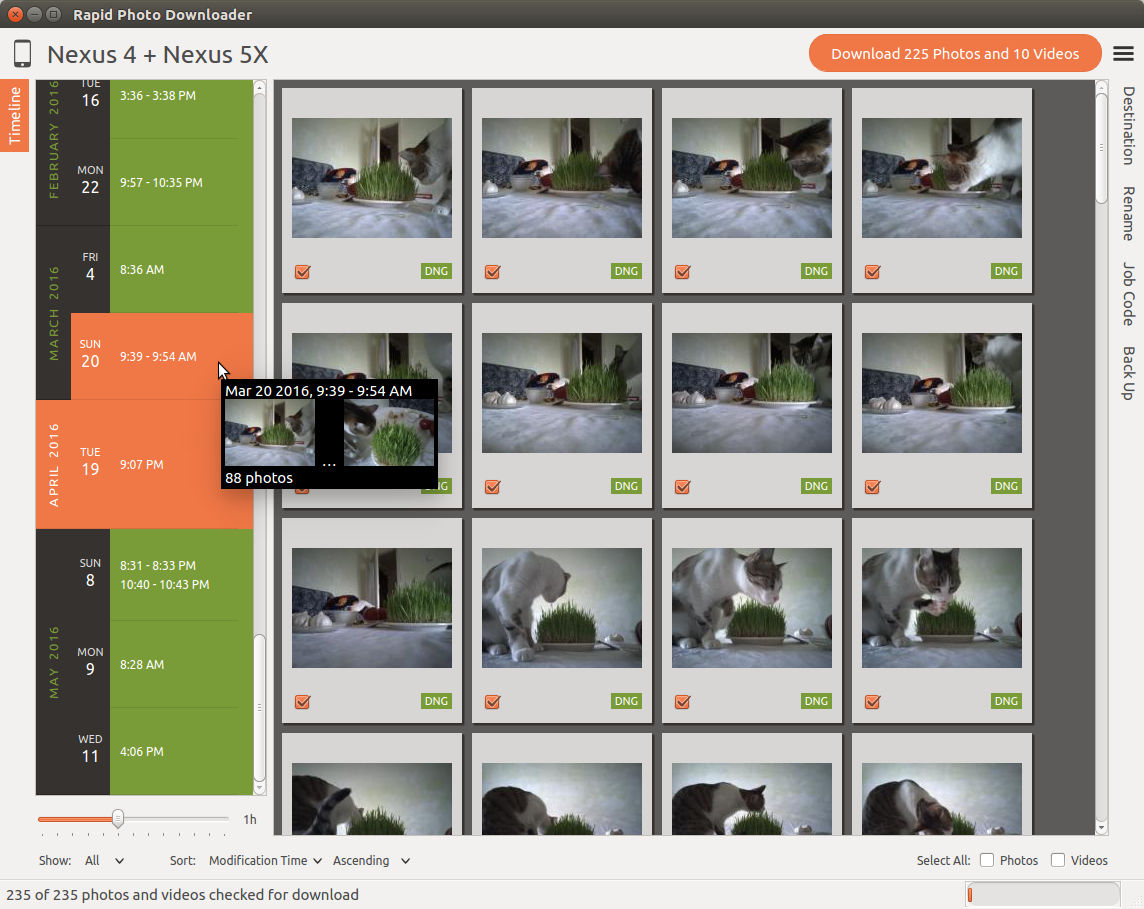
Unique to Rapid Photo Downloader is its Timeline, which groups photos and videos based on how much time elapsed between consecutive shots. Use it to identify photos and videos taken at different periods in a single day or over consecutive days.
You can adjust the time elapsed between consecutive shots that is used to build the Timeline to match your photo and video shoots, setting it to as little as 5 minutes to as much as 24 hours.
Let Rapid Photo Downloader do the tedious work for you:
- 1Devices like cameras, phones and memory cards are automatically detected.
- 2Files that have already been downloaded are remembered. You can still select previously downloaded files and then mark them for download again, but they are unchecked by default, and their thumbnails are dimmed so you can differentiate them from files that are yet to be downloaded.
- 3Preview the folder structure of your download subfolders before you start the download.
- 4The order in which thumbnails are generated prioritizes representative samples, based on time, which is useful for those who download very large numbers of files at a time.
- 5Thumbnails can be sorted using a variety of criteria, including by device and file type.
- 6The storage space used by photos, videos, and other files on the devices being downloaded from is displayed for each device. If your camera uses two memory cards, both will be displayed.
- 8The projected storage space on the computer to be used by photos and videos about to be downloaded is also displayed.
- 9Downloading is disabled when the projected storage space required is more than the capacity of the download destination.
- 10Audio files that accompany photos on professional cameras like the Canon EOS-1D series of cameras are downloaded and optionally renamed.
- 11When more than one device is plugged in, thumbnails for a particular device are briefly highlighted when the mouse is moved over the device.
The file names created by cameras are largely meaningless. Based on options you specify, Rapid Photo Downloader can:
- 1Rename camera generated file names.
- 2Automatically create download folders that make your workflow more efficient.
Generate file and subfolder names using:
- 1Photo and video date and time.
- 2Photo and video metadata like aperture, shutter speed and codec.
- 3Sequence numbers and letters — you can even synchronize RAW + JPEG sequence numbers.
- 4Elements from the original filename.
- 5Free text.
- 6Job codes, which are entered before a new download begins.
Whether you regularly take hundreds of thousands of photos a session, or your needs are more modest, Rapid Photo Downloader can download vast numbers of photos and videos with minimum fuss.
Rapid Photo Downloader is carefully optimized to download and rename your files at the highest speed possible. Compared to previous versions, the new version of Rapid Photo Downloader generates thumbails even more quickly than before. Thumbnails are generated asynchronously and in parallel, using a load balancer to assign work to processes utilizing all the physical CPU cores on your computer.
Thumbnails generated when a device is scanned are cached, making thumbnail generation much quicker on subsequent scans, including for smartphones.
The big exception to rapid download and thumbnail generation speed is smartphones—read why here.
As it downloads your photos and videos, Rapid Photo Downloader can back up to devices like external hard drives. It can:
- 1Use as many backup devices as you can plug in.
- 2Automatically recognize backup devices as soon as they are inserted.
- 3Back up to a location that never changes, such a network directory.
- 4Back up photos to one device and videos to another, or use the same devices for both.
The folder structure and filenames used for the backups will be identical to those used for downloading onto your computer's primary drive.
Rapid Photo Downloader enhances your productivity:
- 1Common tasks can be automated—start downloading on program startup and device insertion, unmount devices when completed, and exit automatically when finished downloading.
- 2Preferences are configured using an easy to use dialog window, without the need for complicated codes.
Rapid Photo Downloader runs under all major Linux desktops. It creates thumbnails for RAW and TIFF files so they appear in programs like Gnome Files, Nemo, Caja, Thunar, PCManFM and Dolphin. While generating these thumbnails does slow the download process a little, it's a worthwhile tradeoff because Linux desktops typically do not generate thumbnails for RAW images, and thumbnails only for small TIFFs. You can turn off this feature if you prefer.
Rapid Photo Downloader has been partially or fully translated into many languages. Read about about how you can translate Rapid Photo Downloader into your own language.

If you like this software, please consider making a contribution. Thank you!